
How to delete Instagram accounts
How to delete an Instagram account
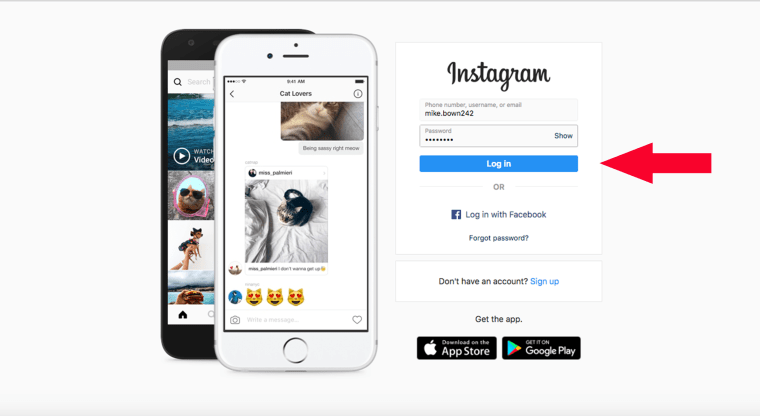
1. Log in to your account on instagram.com from a computer or mobile browser. Unfortunately, you can't delete your account from the Instagram app.
Instagram
2. Go to the Delete Your Account page (https://instagram.com/accounts/remove/request/permanent/).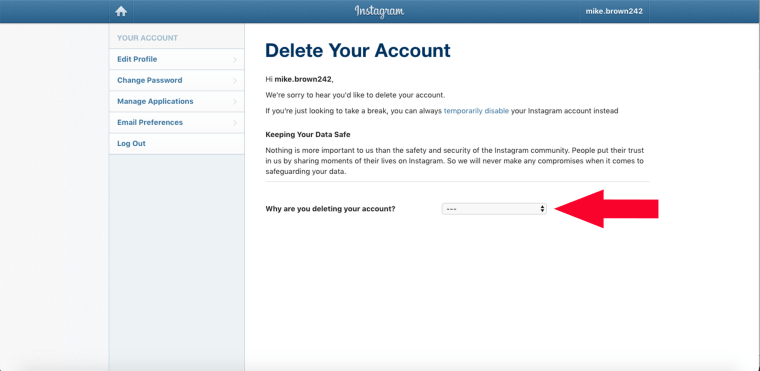
Instagram
3. Once on that page, choose an answer from the drop-down menu next to "Why are you deleting your account?"
4. Re-enter your password.
5. Click "Permanently delete my account."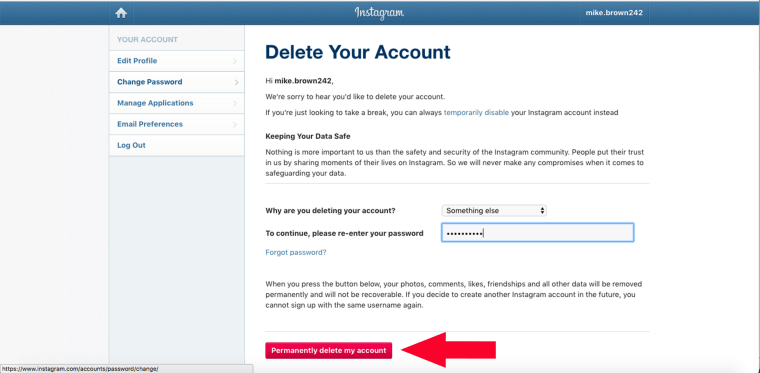
Instagram
If you're uneasy about permanently erasing everything or would rather just take a break from the social network, Instagram has a temporary deactivation option. This allows users to disable their account for a period of time and return to it later, meaning that your profile, photos, videos, comments and likes will be hidden from other users while your account is deactivated and will all reappear when you choose to reactivate it.
How to deactivate an Instagram account
1. Log in to your account on instagram.com from a computer or mobile browser. Unfortunately, you can't disable your account from the Instagram app.
Instagram
2. Click on the person icon in the upper right-hand corner to access your profile.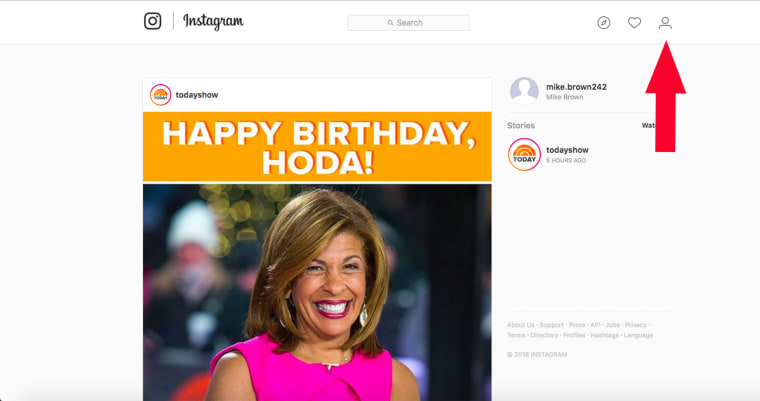
Instagram
3. Click "Edit Profile."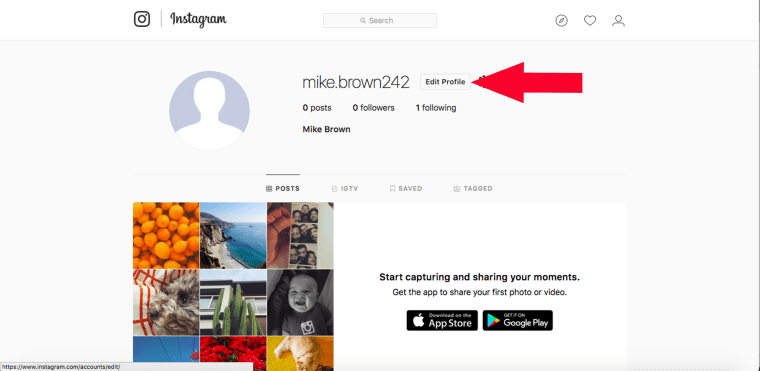
Instagram
4. Scroll down to the bottom of the page and click "Temporarily disable my account" in the bottom left-hand corner.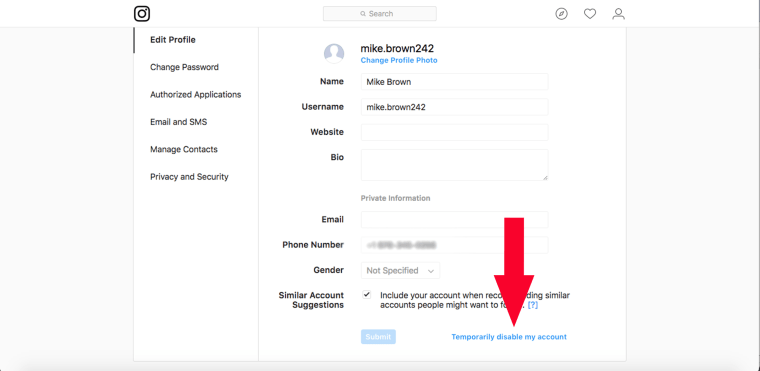
Instagram
5. Once on that page, choose an answer from the drop-down menu under "Why are you disabling your account?"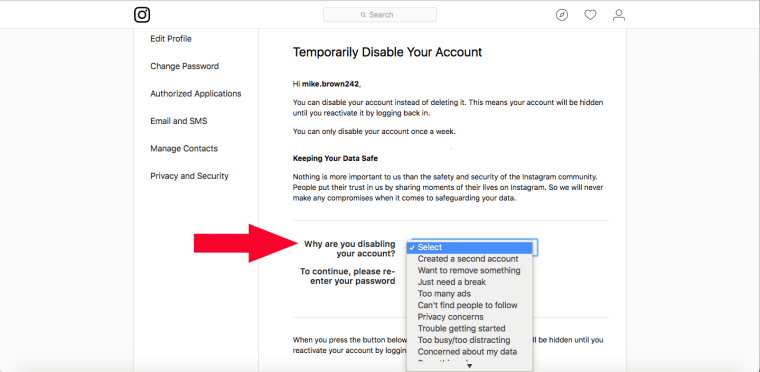
Instagram
6. Re-enter your password.
7. After you've entered your password, a "Temporarily Disable Account" button will appear.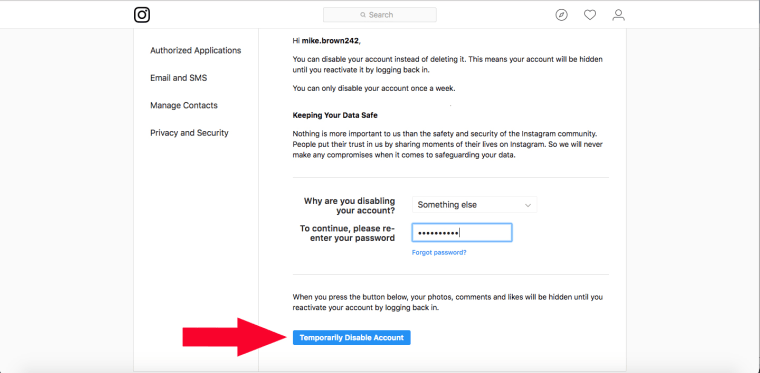
Instagram
Click it and your account will be deactivated until you choose to reactivate it.It may take a few hours for this to take effect.


No comments